Alert if your scheduled job never ran.

Your cron jobs, background workers, and scheduled tasks run silently. When they fail — they fail silently too. Spectra gives each job a unique URL to call on completion. Miss the call, get the alert.

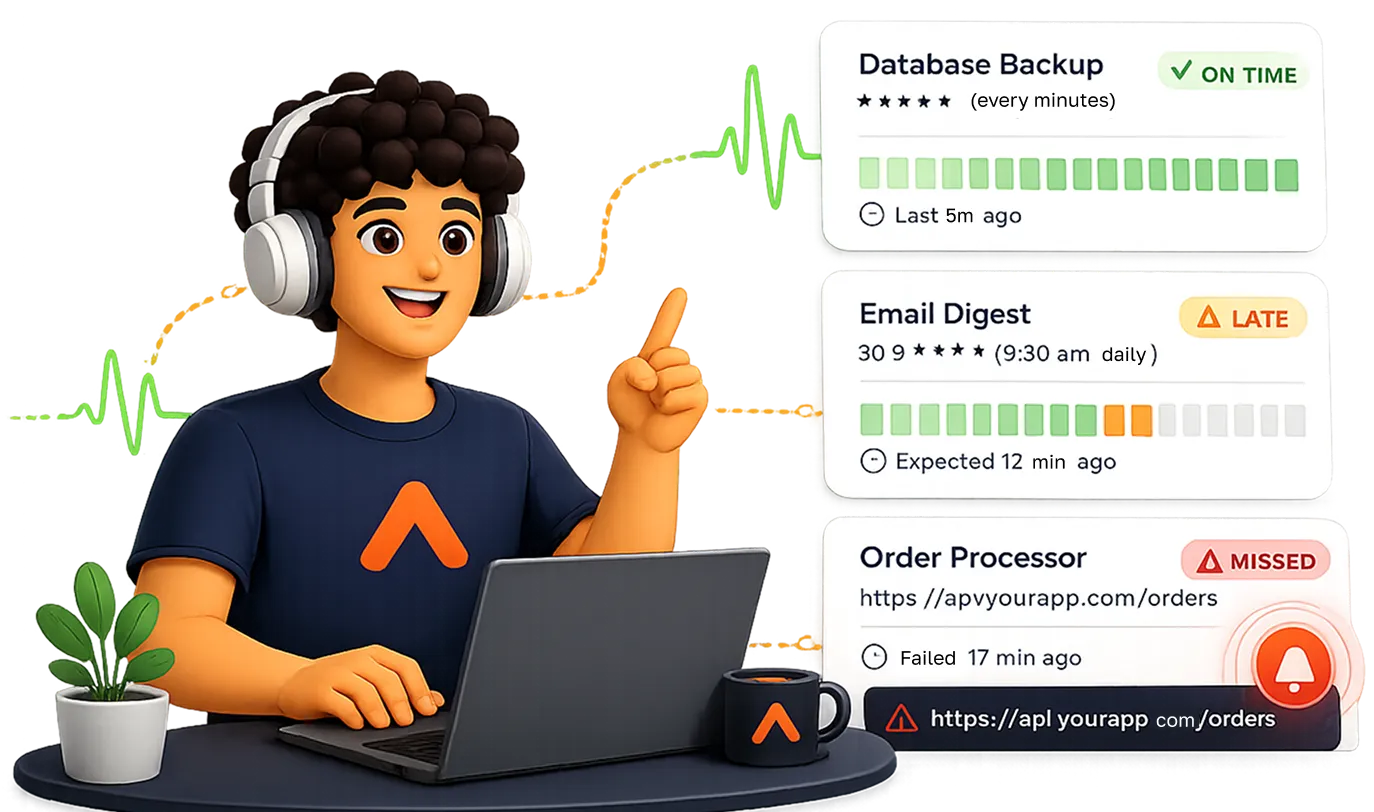
Heartbeat monitoring illustration

Your job calls Spectra. Silence triggers the alert.

Heartbeat monitoring is the inverse of uptime monitoring. Instead of Spectra pinging you, your job pings Spectra. No ping within the expected window means something went wrong.

Create the monitor

Name your job, set the schedule (interval or cron), and configure the grace period. Spectra generates a unique ping URL.

Copy the URL

Add one line to the end of your script, cron job, or background task. Call the URL when the job completes successfully.

Spectra waits

We expect a ping within your schedule + grace period window. A successful ping resets the clock.

No ping? Alert fires

If no ping arrives within the window, we immediately alert via Slack, email, Discord, webhooks, and more.

Your job can signal more than just completion.

Append an optional ?status= parameter to the ping URL to signal job start, explicit failure, or to track run duration.

?status=start

Signal job has started

Call the URL with ?status=start when your job begins, so we track the duration between start and complete — you know not just if it ran, but how long it took.

# Signal start

curl "spectrabolt.com/beat/...?status=start"

# ... job runs ...

curl "spectrabolt.com/beat/..." # complete
?status=complete

Explicitly mark as completed

Calling the URL with ?status=complete resets the schedule window and records a successful run. Equivalent to a plain ping — use whichever is clearer in your code.

# Both are identical

curl "spectrabolt.com/beat/..."

curl "spectrabolt.com/beat/...?status=complete"

?status=fail

Signal job failed

Call with ?status=fail when your job hits an error. This fires an immediate alert even if it ran within the window — for catching logical failures, not just missed runs.

# In your error handler:

curl "spectrabolt.com/beat/...?status=fail"

# Alert fires immediately

One line to add to any job.

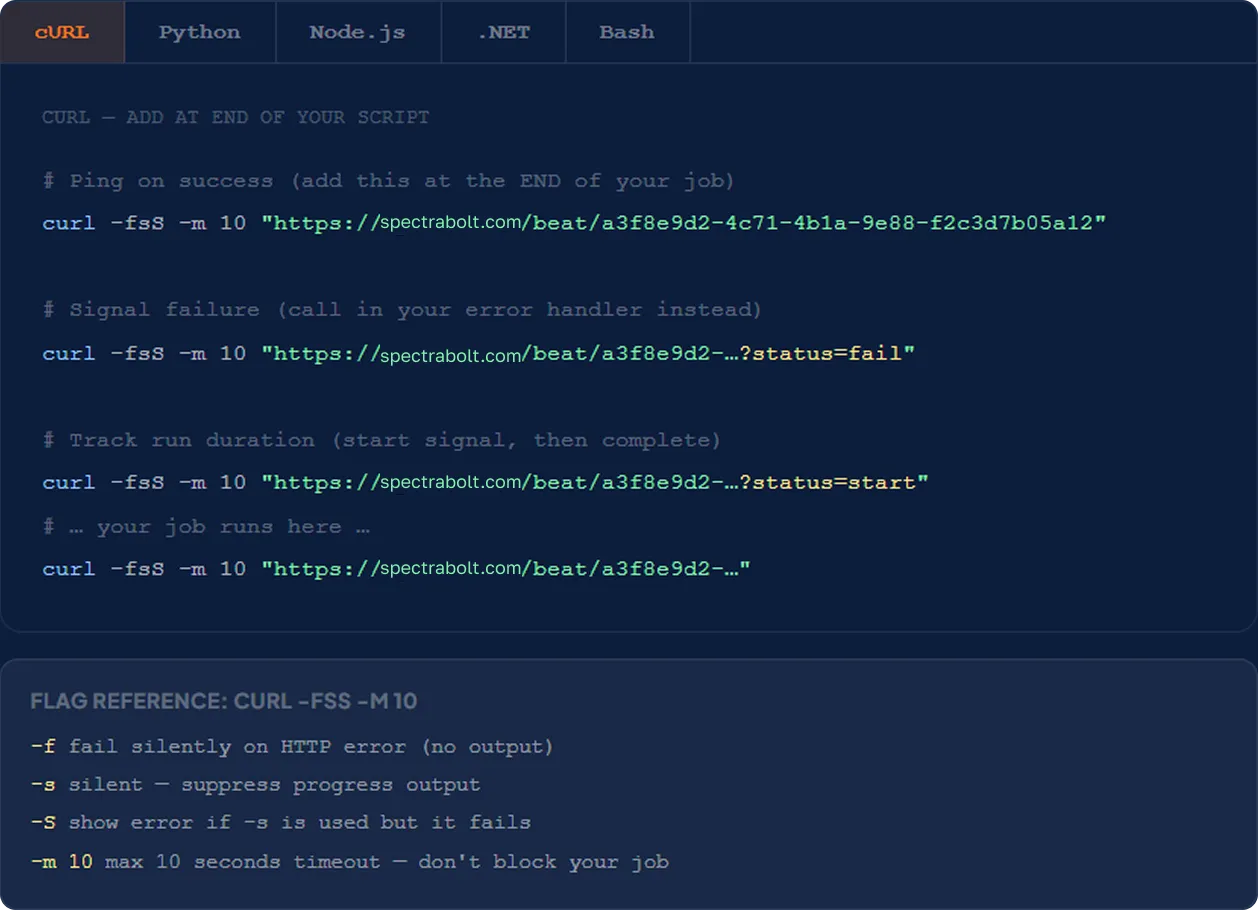
Copy the snippet for your language and paste it at the end of your script or job. Replace the URL with the one generated by Spectra for your monitor. Any HTTP method is accepted — POST, GET, or HEAD.

  • Any HTTP method accepted

    POST, GET, or HEAD — all work equally. Use whichever is easiest in your stack. The URL itself identifies the monitor.

  • No authentication required

    The unique UUID in the URL acts as the secret. Don't share it, but no auth headers are needed — just call the URL.

  • Don't ping on failure

    Only ping the URL when your job succeeds. If the job errors out, don't call the URL (or call it with ?status=fail). Silence = alert.

Heartbeat ping snippets for cURL, Python, Node.js, .NET and Bash

Three ways a heartbeat can trigger an alert.

Configure which failure conditions fire alerts per monitor. All selected conditions apply independently.

Job didn't run

No ping received within the expected window + grace period. The silent failure.

  • Job didn't execute at all — server down, cron daemon crashed, deploy broke the scheduler
  • Job ran but crashed before reaching the ping call at the end
  • Job is running but taking longer than the entire window + grace period
  • Network issue prevented the curl / HTTP call from completing

Alert fires at: schedule + grace period

Example: daily + 5 min grace → alert at 24h 05m

Job reported failure

The job triggered a call to the URL with the parameter which resulted in an immediate alert being generated.

  • Job ran within its schedule — but encountered a logical error
  • Exception raised, API returned an error, database query failed
  • Alert fires immediately — doesn't wait for the grace period
  • Requires your job to explicitly call ?status=fail in the error handler

Alert fires: immediately on ?status=fail call

No waiting: alert fires the moment Spectra receives it

Job ran too long

Duration between ?status=start and complete exceeded the max.

  • Requires both start and complete signals in your job
  • Configure a maximum allowed duration (minutes, hours, days)
  • Alert fires if completion takes longer than the configured maximum
  • Useful for catching jobs that hang, run unboundedly, or get stuck

Config: Maximum allowed duration

Example: set 30min max for an hourly job

Alerts routed to email, Slack, Teams, Discord, webhooks and SMS

Route missed-job alerts to the right people.

Channels are reusable destinations — define them once in Settings → Alerts, then attach to individual monitors. Disabling a channel stops alerts for every monitor that uses it.

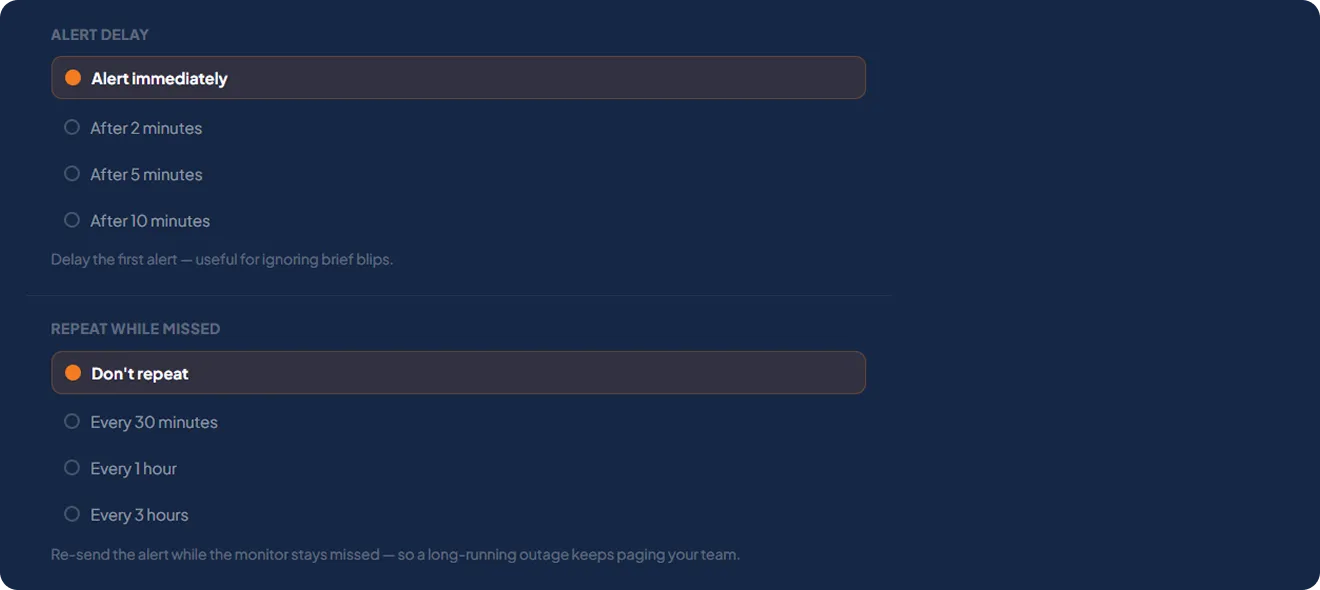
Alert delay and repeat-while-missed settings panel

Frequently Asked Questions

Answers to common questions teams ask us

How is heartbeat monitoring different from website monitoring?

Website monitoring checks something that should respond. Heartbeat monitoring watches for something that should call us — perfect for cron jobs and workers that have no public URL.

What languages and tools does it work with?

Any of them. If your job can make an HTTP request — curl, wget, a one-line library call — it can ping a Spectra heartbeat.

What is a grace period?

Extra time beyond the expected run before we consider a job late. It absorbs normal variance so you only get alerted on real problems.

Can a job report that it failed?

Yes. Ping the /fail endpoint and Spectra raises an incident immediately, even if the job ran on schedule.

Can I monitor jobs behind a firewall?

Yes — the job only needs outbound HTTP access to reach Spectra. No inbound connection to your infrastructure is required.

From the blog

All guides →

Start monitoring for free today!

Free forever plan No credit card required
Start for free